Astro CMS compared: Sanity, Payload, Sveltia and Boosh CMS
Which CMS should you use with Astro? It comes as a surprise to many that Astro is even capable of providing a CMS which is why they stick with Wordpress, but the truth is that you have many options. Here, we take a look at those and decide what suits your project.
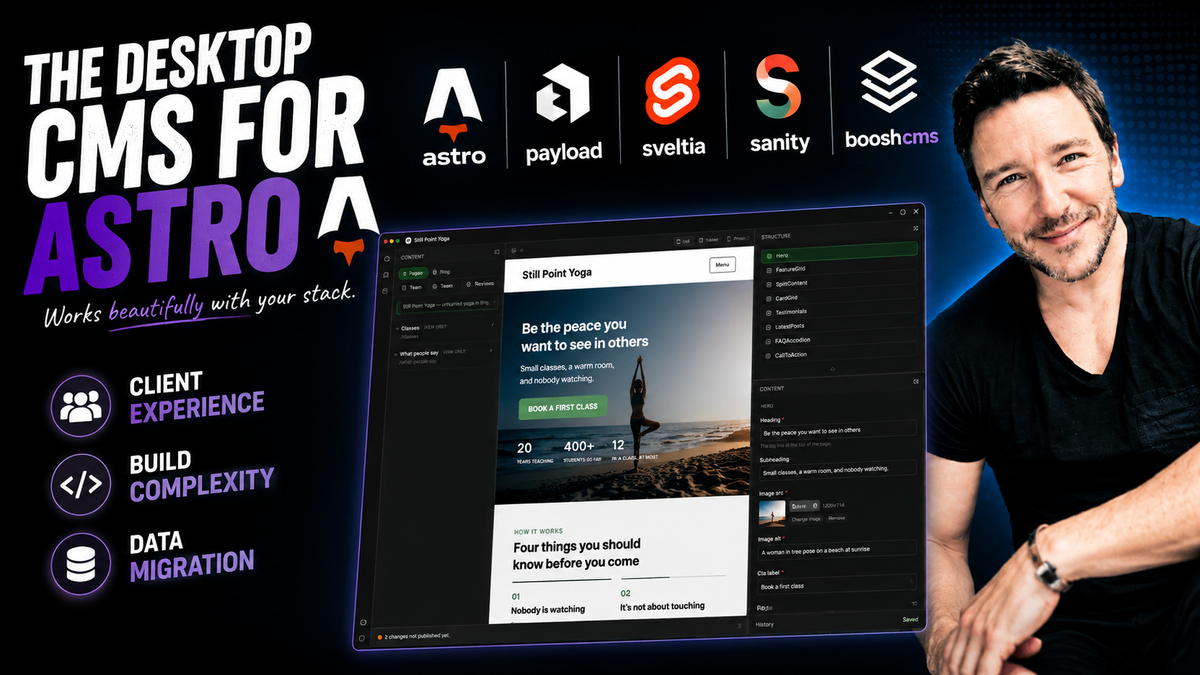
Watch the video
Chris Good
Digital Strategist
Let's compare four CMS solutions for Astro projects, looking at what they offer and, also, what each asks of the project you are building. We'll look at where the client's content is stored, what the site depends on and the user experience.
Disclosure: I build Boosh CMS, which is one of the four. Everything below is written to be checkable, including the parts where the other three win. Boosh CMS is in beta and you are invited to be part of the testing community and lock-in for the LTD.
What the CMS systems don't do.
The intuition is reasonable: point a CMS at a website, have it find the editable bits, and let the client change them. No CMS works that way. Not one of the four. It is best to build with the chosen CMS in mind, rather than fit into it later.
Payload looks closest if you're looking at their feature and 'sales' page (it's free...no sales...I know), because you can "add it to an existing project". But it does not open your Astro pages. It is a Node application with its own database and its own React admin interface; you define collections, migrate content into the database, and rewrite your templates to fetch from its REST or GraphQL API. As far as I'm concerned, that's a lot of work as a dev that I would not want to do and I'd regard that as similar to 'migrating' to a Sanity setup (which is one of the other CMS's we're looking at). Just note, that your content is in a database.
Sanity is explicit about it. Content is a document in the Content Lake, the page is code you write that queries it, and the Studio edits the document.
Sveltia manages entries defined in a configuration file. Its own documentation is clear that it does not freely edit arbitrary source code: a static page has to be declared as a file collection before anyone can touch it.
Boosh CMS does the same, and refuses page source it cannot model, however, it is built for more of a "point and shoot" than any of the others and if you've built to normal Astro conventions, you should simply need to open the app, connect to the project in Github and off you trot.
Why they all land in the same place
The issue all of these have when dealing with 'any project', is that a page's source is open ended: wrapper elements, loops, conditionals, imports, styles, a comment saying do not remove. To edit it safely you would have to model everything a developer might write, and that set has no end. So every CMS solves the problem the same way. The page becomes a document, and code renders it.
What differs is where the document lives, and how many times you have to describe its shape.
Astro CMS comparison table: where the content ends up
Four rows decide most projects: where content lives, what the site depends on, what has to be installed, and how many times you describe your content.
| Sanity | Payload | Sveltia | Boosh CMS | |
|---|---|---|---|---|
| Architecture | Hosted SaaS | Node app plus your database | Browser app, no server | Desktop app, no server |
| Where content lives | Sanity's Content Lake | Postgres or MongoDB you run | Files in your git repo | Files in your git repo |
| What the site depends on | Client library, project ID, dataset | Payload and its database, running | Nothing | Nothing |
| Infrastructure to keep alive | Sanity's service | A database and a server | An OAuth app | None |
| Installed into the site | Studio, client library, schemas | Payload app, database, rewritten templates | Admin page, config file, OAuth app | Nothing. The app reads the project |
| What the client does to start | Log in to the Studio | Log in to the admin | Log in, authorise GitHub | Open the app, pick their site |
| Cost | Free tier, then seats and usage | Free self hosted; paid cloud | Free, open source | Per site, billed to the client |
| How the site reads content | GROQ / API | REST / GraphQL / SDK | getCollection() |
getCollection() |
| Schema written | Once, in code | Once, in code | Twice: YAML and your Astro schema | Once: your Astro schema |
| Schema derived from your code | No | No | No | Yes |
| Preview | Presentation mode | Live, in an iframe | Editor preview pane | The real site, no save needed |
| Editing on the rendered page | Yes | Yes | No | No, a panel beside it |
| Several people | Yes, live | Yes, live | Through git | Through git, with conflicts shown |
| Frameworks | Any | Any | Any | Astro today |
| Runs on a phone | Yes | Yes | Yes | Not yet |
| If the tool goes away | Content is in Sanity | Content is in your database | The content is already the site | The content is already the site |
Four rows carry most of the difference
Where content lives. Sanity and Payload put the client's words in a database, and leave code in the repository that fetches them. Sveltia and Boosh CMS leave the words in the repository. There is no export, because there is nothing to export from.
What the site depends on. A Sveltia or Boosh site has no runtime dependency on the CMS. Delete it and the site still builds with astro build.
What has to be installed. Sanity wants a Studio and a client library in the project. Payload wants an application and a database running. Sveltia wants an admin page, a configuration file and a registered OAuth application. Boosh CMS installs nothing: it reads the project as it stands, and the client opens the app and picks their site.
How many times you describe your content. This is the one that separates the two git based tools, and it is the whole of the difference between them.
Point and shoot: an Astro CMS for builds that already exist
On a conventional Astro build, Boosh CMS is the most capable point and shoot CMS for a site that already exists, and for most GitHub hosted, markdown backed Astro sites it requires no setup at all. No admin route to add, no configuration file to write, no OAuth application to register, no content to migrate. The app opens the repository, derives the forms from content.config.ts, and the client starts editing.
"Conventional" is doing real work in that sentence, and the rest of this article is the definition of it: content collections defined with defineCollection and a Zod schema, entries as markdown or MDX in the repo, pages reading them with getCollection(). Build that way and there is nothing to wire up. Build some other way and the app will tell you what it cannot model rather than guess.
The beta is open. You can get it here: Boosh CMS beta.
This is a beta, and it is for testing. It writes to real files in your repository. Before you point it at anything, make sure the project is in git, committed and pushed to GitHub, and that you know how to get back to a known good commit. Do not run it against work you have not backed up, and do not put a client in it until you have run it against something of your own first.
Sveltia CMS: the closest comparison
Sveltia CMS is the only one of the other three that shares Boosh CMS's central idea: the content is files in the client's own repository, and the site reads it with getCollection() like any other Astro project.
What it does
A browser application served from a CDN. No build step and no server: add two files to your site's static folder, register an OAuth application with GitHub or GitLab, and the client visits /admin. Saving makes a commit through the provider's API; the host rebuilds.
It is free, open source, framework agnostic, and runs on anything with a browser, including a phone. Those are real advantages and Boosh CMS has none of them today.
What it costs: the schema is written twice
From Sveltia's own documentation: collections are hand written in the configuration file, and there's no automatic discovery of collections or fields.
So an Astro project using content collections describes its content twice.
src/content.config.ts: what Astro validates
const blog = defineCollection({
  loader: glob({
    base: './src/content/blog',
    pattern: '**/*.md',
  }),
  schema: ({ image }) => z.object({
    title: z.string(),
    pubDate: z.coerce.date(),
    cover: image().optional(),
  }),
})
public/admin/config.yml: what the form is built from
collections:
  - name: blog
    folder: src/content/blog
    fields:
      - { name: title, widget: string }
      - { name: pubDate, widget: datetime }
      - { name: cover, widget: image }
The consequence
Two descriptions of one thing, kept in step by hand, and only one of them fails loudly. Add a field to the Zod schema and Astro knows; the client's form does not, and nobody finds out until someone asks why the field is missing. Rename a field in the YAML and the CMS writes frontmatter that Astro then rejects at build time.
Boosh CMS reads content.config.ts directly. The Zod schema is the form. There is nothing to keep in step, because there is only one description.
There is a third party integration that inverts the direction, generating the Zod schema from the widget definitions. It solves the drift, and makes the CMS's configuration file the authority over your Astro project's own schema.
Who decides the shape of the content
A widget is the editing control a field gets: a one line box, a rich text editor, a date picker, a dropdown of entries from another collection. Every CMS here has them. The question worth asking is not how many, but who chooses.
In Sveltia you choose, per field, in config.yml, a second description of content the Astro schema already describes. In Sanity and Payload you choose in their schema files, which then become the source of truth the site queries.
In Boosh CMS nobody chooses at editing time, because the choice was already made when the developer wrote the schema. The control is derived from the Zod type, and from the field's name where the type alone is not enough.
| What the developer wrote | What the client gets |
|---|---|
z.string() named title | One line |
z.string() named description | A textarea |
z.string() named body | The rich text editor |
z.string() named bookingUrl | A web address, with the site's own pages suggested |
z.enum([...]) | Radios up to three options, a dropdown beyond |
reference('team') | A dropdown of that collection's entries |
image() | The picture picker |
z.array(z.object({...})) | A repeater of grouped fields |
z.array(z.discriminatedUnion(...)) | The page builder |
This is the division of labour a CMS should have
The developer shapes the site. The client manages the content. That is what the letters stand for, and it is worth being deliberate about: a client who can change the shape of a page can break the shape of a page, and will eventually be asked to make a decision they were never hired to make.
Because the form is derived rather than declared, the developer's schema is the boundary. There is no second file where the two could disagree, no widget list for a client to be handed, and nothing to keep in step. Add a field to the schema and it appears; take one away and it goes. The shape of the site stays where it was decided, in the code, with the person who was paid to decide it.
The trade is real and worth stating. Choosing per field reaches controls that inference cannot, such as a colour picker, a map or a computed value, and it is never wrong about intent. Deriving gives a form with no configuration at all, one that cannot drift, at the cost of a shorter list and the occasional conservative guess. Where a construct cannot become a control, the field is shown read only with a plain language note rather than the collection being dropped.
What the others do better
Editing on the rendered page. Payload and Sanity both let an editor click the heading where it appears and change it there. Boosh CMS shows the real site live beside a panel; you edit the field and the page follows about a second later, with nothing to save. Close, and not the same thing.
Everyone at once. Sanity and Payload have real time collaboration, two people in the same document, seeing each other. Boosh CMS and Sveltia work through git instead: several people can edit and publish, and a collision on the same file is shown as a choice rather than silently resolved. Right for a client and their developer; not a newsroom.
Any framework. The other three are framework agnostic. Boosh CMS reads Astro, which is what lets it derive the form from the schema, because no other popular generator declares one in code.
Anywhere, on anything. Sveltia and the two hosted tools run in a browser.
Free. Sveltia costs nothing and is open source.
The preview is the real site
Not a rendering of the content in an editor, and not a staging copy. Boosh CMS runs the site's own development server and shows it beside the panel, so what the client is looking at is the site, built from their words, with their developer's CSS and components.
There is nothing to save. Typing pauses, the file is written, and the page updates on its own about a second later, measured between 0.7 and 1.1 seconds across every kind of content on a real site. A client who prefers to decide when a file is written can turn that off, and then a Save button appears.
Publishing is a separate, deliberate act, and it is honest about latency: the site goes live a few minutes after the client presses it, and the app says so rather than pretending otherwise.
Honouring the Astro build
This matters more than it sounds, and it is the reason the trade is worth making.
Every part of the convention is Astro's own documented primitive: defineCollection with a Zod schema; the glob() and file() loaders; getEntry and getCollection; and mapping a block's type to a component and spreading its props. Plain Astro, no plugin, no runtime.
A developer opening that project sees ordinary Astro. They do not need to know the app exists to read it, extend it, or hand it to somebody else. There is no bespoke directory, no generated file to avoid touching, no build step that belongs to us, and no configuration file describing content the schema already describes.
Compare what the alternatives ask. Sanity wants a client library, a project ID and a Studio. Payload wants a database and a server. Sveltia wants an admin page, an OAuth app, and a second description of your content.
The honest caveat
Astro documents content collections for content. Using them for page composition, a page as an entry with an ordered array of blocks, is a pattern rather than a documented recommendation.
It is built entirely from documented pieces, and it is what people already do on Astro sites backed by any headless CMS. But it is a convention the app asks for, and it should be described that way. It is also a build convention of the same size as choosing Sanity in the first place: a Sanity site already accepts that a page is a document with a page builder array, that components are registered, and that a renderer maps between them. This asks exactly the same, and hands the content back as files in the client's own repository.
Boosh CMS is also the newest of the four. Sveltia is mature and widely used; Sanity and Payload are businesses with support behind them. That is a real difference and worth weighing alongside everything above.
And ecommerce: Shopify as a headless CMS for Astro
One thing this comparison leaves out, because it answers a different question, is Shopify. It belongs here anyway, because it kills the second myth.
Shopify's Storefront API makes the catalogue available to any front end you like. Astro fetches products, variants, collections and prices, renders the shop with the same components as the rest of the site, and hands the cart off to Shopify's own hosted checkout. Payments, tax, fraud, orders, stock, refunds and the merchant's admin all stay inside Shopify, where they should be. Astro is the shop window, not the till.
That leaves a clean split on a single site: pages and posts in the repository, edited with a git based Astro CMS, and the catalogue in Shopify, edited by whoever runs the shop. Neither one has to know about the other.
Two myths, both dead
"Astro has no CMS." It has four worth comparing, and two of them keep the content in the client's own repository.
"Astro can't do ecommerce." Shopify headless, with a hosted checkout, on a static Astro front end. The reason people believe otherwise is that Shopify's own framework is React based, so Astro looks unsupported. The API it sits on is not.
The position
Conventional Astro that a client can edit, with the content staying in their repo, and the schema written once.
Sveltia gets you the first two, free and in a browser, at the cost of describing your content twice. Sanity and Payload give you a better editing experience and real infrastructure, at the cost of a database and a dependency in the build.
Safe, contained, owned. No database, no service, no dependency, no second description, and nothing trapped anywhere else.
Carry on down this path
If it is the stack itself you are still weighing, I compared the two properly in is SEO easier with Astro or WordPress?, and wrote up the move itself in why I moved from WordPress to Astro in 2026. For the hands-on version, there is installing Sanity into Astro without AI.
There is a video version of this same comparison, what CMS should you use for Astro websites?, and a longer session on the desktop CMS for Astro sites. Both live on my YouTube channel, where most of the build work gets shown rather than described.
BooshCMS is the one I ended up building: a desktop CMS your client owns, editing Astro content collections in their own repository, with no monthly fee for the privilege of writing their own words. It sits alongside the rest of the Boosh desktop apps, and the documentation is there if you want the detail before you decide. If you would rather someone else did the build, that is Boosh Digital.
Preferred sources
Follow my work in Google
Add chrisgood.online as a preferred source and my insights get pushed up your Google Search, News and Discover results.